
Modern Application Deployment Automation
- Pablo
- Jul 7
- 13 min read

Automating your application deployments is all about using smart tools and solid processes to push out software updates reliably.It’s a shift away from the old, slow, and frankly, risky manual way of doing things. The goal is to build a predictable, repeatable pipeline that takes code from a developer's laptop to your live environment, boosting how often you can deploy and making your whole system more stable.
This isn't just a nice-to-have anymore. For any business that wants to stay in the game, it’s a core strategy.
Why Manual Deployments No Longer Work
In a market where speed is king, sticking with manual deployments is like showing up to a Formula 1 race on a bicycle. You're not just going to lose; you're putting your entire ability to innovate and provide a stable service at risk.
Manual processes are notoriously brittle and inconsistent. They often rely on "tribal knowledge"—that one person who knows all the weird quirks of the deployment script. This creates a massive bottleneck, holding your entire development team hostage. Every single release turns into a high-anxiety, all-hands-on-deck event, just waiting for one tiny human error to bring everything crashing down.
The True Cost of Manual Processes
The problems with manual deployments run much deeper than just being slow. Let's talk about the hidden costs that really start to add up:
Developer Burnout: Your most talented engineers are stuck spending hours on mind-numbing, stressful deployment tasks instead of what they do best: building great features. This is a fast track to frustration and high turnover.
Increased Risk: Every manual step is a roll of the dice. A single mistyped command or a missed configuration change can take your entire application offline, hammering customer trust and your bottom line.
Inability to Scale: As your application grows—especially if you're moving to microservices or a multi-cloud setup—manual deployments become a logistical nightmare. The complexity will quickly overwhelm even the most dedicated team.
The real problem is that manual deployments throw unpredictable variables into a process that absolutely demands consistency. Automation strips out that variability, turning chaotic releases into a repeatable, low-risk, and—in the best way possible—boring business function.
The Strategic Shift to Automation
Moving to application deployment automation is more than a technical upgrade; it's a strategic business decision with real, measurable benefits. It frees up your developers to innovate, slashes the rate of failed deployments, and dramatically shortens your time-to-market.
The industry has certainly caught on. The global deployment automation market is already valued at around $15 billion and is expected to grow at a CAGR of 18% through 2033, largely because of how widely DevOps practices have been adopted. You can dive deeper into these trends in this detailed report.
This isn't just for the tech giants, either. For any business serious about being agile, automation is the foundation. It’s what aligns your technology with your business goals, turning software releases into a competitive advantage instead of a liability. For a closer look at how you can implement these kinds of changes effectively, check out our guide on why businesses should consider custom software solutions to build systems that perfectly match your needs.
The Anatomy of a Modern CI/CD Pipeline
To really get a handle on application deployment automation, you first have to understand the engine that makes it all possible: the CI/CD pipeline. This isn't some abstract technical diagram; it's a living, breathing workflow that takes raw code and turns it into a live application, all with very little human touch. Think of it as the assembly line for modern software, built for speed and quality.
A solid pipeline is your best safety net. It's designed to catch bugs and weird inconsistencies long before they have a chance to frustrate your users. It makes the whole release process predictable and repeatable, transforming what used to be a high-stress, risky event into just another day at the office.
The Commit and Build Stages
It all kicks off the moment a developer commits new code to a version control system like Git. That simple action fires the starting pistol for the entire automated sequence. A CI (Continuous Integration) server—think tools like GitLab CI or Jenkins—is always watching. It immediately detects the change and pulls down the latest version of the code.
This triggers the Build stage. At this point, the system gets to work compiling the code, pulling in all the necessary dependencies, and packaging everything up into a deployable artifact, which is often a Docker container these days. If the build fails for any reason, the whole process grinds to a halt. This is a good thing! It alerts the team that something is fundamentally broken before it wastes anyone else's time.
The Testing and Deployment Stages
With a successful build in hand, the artifact cruises into the automated Test stage. This is where the real magic of quality assurance happens without anyone lifting a finger. The pipeline runs through a whole battery of pre-written tests:
Unit Tests: These check that the smallest pieces of your code, like individual functions, are working exactly as they should.
Integration Tests: This is where we make sure different parts of the application can talk to each other without any issues.
End-to-End Tests: These simulate actual user journeys, validating the entire application from the login screen to the final click.
If the code passes all these tests with flying colors, the pipeline now has a high-quality release candidate ready to go. From here, the CD (Continuous Delivery/Deployment) part of the pipeline takes the baton. The Deploy stage automatically pushes the artifact to a staging environment for a final manual check or, if you're practicing full Continuous Deployment, straight into production.
A pipeline isn't just about shuffling code from point A to B. It’s about building confidence with every single step. By the time code is ready for deployment, it has been compiled, packaged, and put through the wringer, drastically cutting the chances of a production meltdown.
This visual really brings home how each stage builds on the last to deliver faster, more reliable releases.
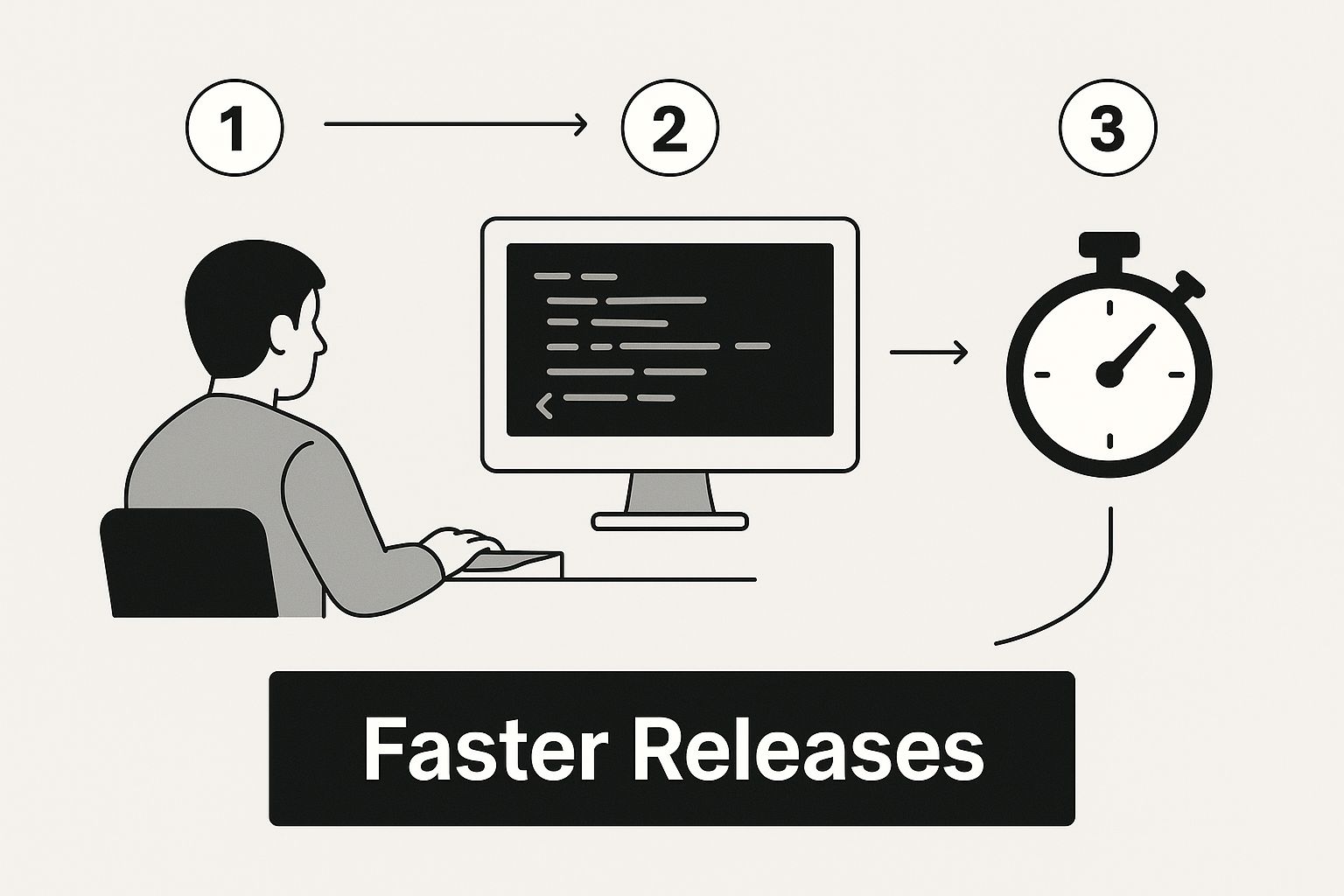
The big takeaway is that automation is the glue connecting every phase of development. It creates a smooth, continuous flow that dramatically shortens the time from writing a line of code to seeing it live. Each stage acts as a gatekeeper, ensuring only proven, validated code moves forward—a core principle of any successful deployment automation strategy.
Choosing the Right Deployment Automation Tools
Diving into the world of application deployment automation tools can feel like trying to find a needle in a haystack. The market is flooded with options, each one claiming to be the perfect fix. It's easy to get lost comparing features when what you really need is to focus on your team's actual workflow.
The trick is to think about function first, not brand names. A smarter way to approach this is by grouping tools based on what they do in your pipeline. This simple shift in perspective helps you see how different pieces can fit together to build a smooth, automated process. It also keeps you from trying to force a square peg into a round hole—making one tool do a job it was never built for.
Functional Categories of Automation Tools
Instead of just looking at a long, random list of software, let's categorize them logically. This framework makes it much easier to spot gaps in your current setup and find tools that will play nicely with each other.
Generally, you'll run into three main types of tools:
CI/CD Servers: Think of these as the conductors of your automation orchestra. They monitor your code repository and kick off the entire build, test, and deploy sequence whenever changes are pushed.
Configuration Management: These are your insurance against the classic "it worked on my machine" headache. They ensure every server and environment is configured identically, every single time.
Container Orchestration: If you're working with modern, container-based apps, these platforms are non-negotiable. They handle the deployment, scaling, and management of your containers automatically.
Organizing your toolchain this way creates a modular and powerful system. When you're mapping out the stages of a modern CI/CD pipeline, it's crucial to have robust orchestration. This is where leading CI/CD platforms like CircleCI come in, expertly managing these complex workflows from start to finish.
The growth in the application release automation (ARA) market speaks for itself. It’s projected to climb from $3.55 billion in 2024 to $4.08 billion in 2025. This surge is all about the growing need for more efficient and adaptable deployment processes. You can discover more insights about ARA market trends to see how these shifts are shaping tool development.
Comparing Your Options
So, how do you pick the right tools for your team? It really boils down to your team’s current skill set, your tech stack, and where you see your project heading. A lean startup might gravitate toward an all-in-one platform for simplicity, while a large enterprise will likely need a more customized, best-of-breed stack for greater control.
To give you a head start, I've put together a quick comparison of some of the most popular tools out there.
Comparison of Popular Deployment Automation Tools
This table compares key features, ideal use cases, and hosting models for leading application deployment automation tools to help you choose the right fit for your needs.
Tool | Primary Function | Ideal Use Case | Hosting Model |
|---|---|---|---|
Jenkins | CI/CD Server | Highly customizable and complex pipelines for large organizations. | Self-hosted |
GitLab CI/CD | CI/CD Server | Teams looking for an all-in-one platform with integrated source control. | Both Self-hosted & Cloud |
Ansible | Configuration Mgmt. | Agentless, simple automation for provisioning servers and deploying apps. | Self-hosted |
Kubernetes | Container Orchestration | Managing containerized, microservices-based applications at scale. | Self-hosted or Managed |
This table should help you narrow down the field, but remember the golden rule:
The best tool for you isn't always the one with the most features. It's the one that integrates smoothly into your workflow, is easy for your team to adopt, and scales with your business needs without causing unnecessary complexity.
Ultimately, you're trying to build a cohesive system where each component does its job effectively. It's also worth noting how the rise of simpler platforms is changing development. To see how this trend affects tooling choices, check out this piece on the impact of no-code development on the software industry.
Building Your First Automated Deployment Workflow
This guide is all about cutting through the noise. We're going to focus on the core actions you need to get a basic pipeline running. Think of it as a solid foundation you can build on later as your needs get more complex.
Kicking Off Your Automated Process
In any modern deployment, everything starts and ends with version control. The very first thing you need to do is make sure your application code lives in a Git repository. Platforms like GitLab or GitHub are perfect for this, turning your repo into the single source of truth. No more wondering which version is the "right" one.
With your code tucked away in Git, you need a CI tool to be the brains of the operation. This is where tools like GitLab CI/CD or GitHub Actions shine, since they’re built right into the platforms you're already using. You'll set up this tool to "watch" your main branch. The moment a new commit lands, it triggers your entire automation sequence.
Crafting the Pipeline Script
The heart of your automation lives in a pipeline configuration file. This is usually a YAML file (for example, ) that sits in the root of your project. This simple text file is incredibly powerful; it tells your CI tool exactly what to do and in what order.
You’ll break the process down into a series of stages. For our little project, we just need two: and .
The `build` stage: Its only job is to create a portable, self-contained package of your app. For this, Docker is your best friend.
The `deploy` stage: This stage grabs the package from the build step and gets it running in your target environment, like a cloud container service.
Your pipeline script isn't just a set of commands; it's a blueprint for reliability. By codifying your build and deployment process, you ensure that every single release follows the exact same proven steps, dramatically reducing the chance of human error.
Here's a simplified look at what this YAML script might look like for GitLab CI/CD.
stages:
build
deploy
build_app: stage: build image: docker:20.10.16 services: - docker:20.10.16-dind script: - echo "Building the Docker image..." - docker build -t my-web-app:latest . - echo "Build complete."
deploy_to_cloud: stage: deploy script: - echo "Deploying to the cloud environment..." - # Add commands here to push the image and update the service - echo "Deployment finished." This script lays out our two stages. It tells the CI runner to handle the job first. Only if that job succeeds will it move on to the job. Simple, sequential, and safe.
Executing the Deployment
With the configuration file in place, the last piece is the actual deployment job. This job, defined under the stage in your YAML, will contain the specific shell commands to push your Docker image to a container registry. From there, another command will tell your cloud provider to pull down that new image and fire it up.
This hands-on approach takes the guesswork out of application deployment automation. While this setup is basic, it covers all the core principles: a version-controlled source, an automated trigger, and a scripted, repeatable process for getting your code out the door. From this starting point, you can layer in more sophisticated steps like automated testing, security scans, and promotions to multiple environments.
Advanced Strategies for Secure and Scalable Pipelines
A basic pipeline gets your code from point A to point B, and that's a great start. But when you're ready to build for the long haul, enterprise-grade application deployment automation needs to be much smarter and more resilient.
Once your initial workflow is up and running, it's time to make it truly robust, secure, and ready to grow with your business. This is where you move beyond simple automation and into building a system you can trust. It’s less about just handling more traffic and more about managing complexity without slowing down or introducing risk. This means you have to treat your infrastructure with the same discipline as your application code.
Fortifying Your Automation Workflow
One of the most common headaches I've seen is when a deployment works perfectly in staging only to mysteriously fail in production. The culprit is almost always a tiny, overlooked difference in the environment. The fix? Infrastructure as Code (IaC).
By using tools like Terraform or Pulumi, you define every piece of your infrastructure—servers, networks, databases, you name it—in configuration files that live right alongside your code in version control.
This changes the game in a few powerful ways:
Consistency: No more "configuration drift." Every environment is spun up from the exact same blueprint.
Traceability: Infrastructure changes go through the same review and approval process as your code. Everything is tracked.
Repeatability: Need to rebuild an entire environment from scratch? You can do it reliably in minutes, not days.
Security is the other non-negotiable piece. You can't just bolt it on at the end and hope for the best. Integrating security scans directly into your pipeline—a practice known as DevSecOps—is essential. This means adding automated stages that check for vulnerabilities in your code, your dependencies, and even your container images before they ever get a chance to be deployed. It's about catching problems early, not cleaning up messes later.
A mature pipeline does more than just deploy; it protects. It should be designed to fail fast and recover even faster. A bulletproof rollback strategy is your ultimate safety net, allowing you to revert to a last-known-good state in seconds if a deployment goes wrong.
Managing Secrets and Recovering from Failure
Let's talk about one of the most sensitive parts of any deployment: credentials. Hardcoding API keys, passwords, and other secrets into your scripts is a disaster waiting to happen. The professional approach is to use a dedicated secrets management tool like HashiCorp Vault or a cloud-native service like AWS Secrets Manager.
These tools allow your pipeline to securely fetch the credentials it needs at runtime. The secrets never touch your code repository, which is a huge security win.
Of course, even with the best planning, deployments can and will fail. Your rollback strategy needs to be just as automated as your deployment one. For example, if a new deployment fails its health checks, the pipeline should automatically trigger a process to redeploy the previous stable version. This keeps downtime to a minimum and takes the pressure off your team in a crisis. For those working with specialized applications, it's worth exploring effective machine learning model deployment strategies for more advanced insights.
The industry is clearly moving in this direction. The application release automation market is projected to skyrocket from $4.89 billion in 2025 to over $12 billion by 2030, which tells you just how critical these advanced strategies are becoming. You can read the full research on this growing market for a deeper dive. As your business grows, combining these practices with a solid software foundation is key; our guide on how custom software development can drive business growth explains this connection in more detail.
Common Questions About Deployment Automation

Jumping into application deployment automation is a big move. As teams start to leave manual processes behind, a few questions always seem to surface. It's totally normal to have some uncertainty when making such a fundamental shift.
Let's walk through some of the most common sticking points and clear them up with practical, real-world advice.
How Do We Handle Database Migrations?
This is a big one. Database changes are often the scariest part of any deployment. A mismatch between your application code and your database schema can bring everything to a grinding halt, and nobody wants that.
The trick is to stop treating database migrations as a separate, manual headache. Instead, you need to make them a core part of your pipeline. Tools like Flyway or Liquibase are lifesavers here. They let you version-control your database schema changes just like you do with your code.
From there, you simply add a dedicated step in your pipeline that runs these migrations before deploying the new application code. This ensures the database is always ready for the new version, preventing those dreaded schema-related outages.
Continuous Delivery vs. Continuous Deployment
People throw these terms around all the time, often using them interchangeably. But they're not the same. They represent two different philosophies on automation, and the difference is all about that final push to production.
Continuous Delivery means every change that passes your automated tests is automatically built and deployed to a staging or pre-production environment. The code is always ready to go live, but a human has to press the final "deploy to production" button.
Continuous Deployment is the next level. It takes that human out of the loop. If a change passes all the automated tests, it’s automatically released straight to your users without any manual intervention.
So which one is right for you? It really boils down to your team’s comfort level and risk tolerance. Continuous Delivery gives you a safety net with that manual gate, while Continuous Deployment is all about maximizing speed for teams with rock-solid confidence in their automated testing.
Getting Started Without a DevOps Engineer
What if you're a small team without a dedicated DevOps expert? The thought of building complex automation pipelines can feel pretty overwhelming.
The key is to start small and lean on managed platforms. You don't need to build everything from scratch. Tools like GitLab CI/CD or GitHub Actions are built right into your code repositories and have fantastic documentation and templates.
Pick one small, high-impact task to automate first. A great starting point is running your unit tests on every commit. Once the team gets comfortable with that, you can add another stage, like building a Docker container. Then another, like deploying that container to a test environment. It's an incremental process.
At BOGLEX S.R.L., we build these best practices into every project from day one. We specialize in creating robust, end-to-end software solutions with the automated pipelines you need for reliable and frequent releases. Whether it's an MVP on a low-code platform or a full-scale custom application, we set you up for success.
Explore our custom software development services and let's talk about building with confidence.